
This article contains affiliate links. If you buy through one of them, FunnyCraftsClub may earn a commission at no extra cost to you.
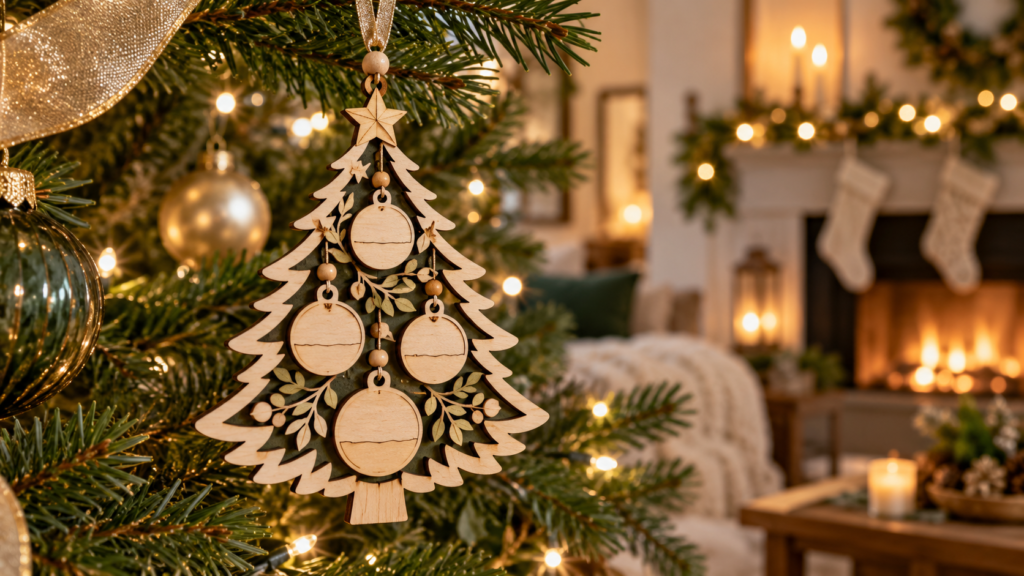
Some ornaments decorate the tree. A personalized one can bring a particular person or year back into the room: the children looking for their names, a family surname on a new-home decoration, or the little light that represents someone Grandma loves.
If you already have a cutting machine or laser and want to make that kind of keepsake, the next step is finding a file that fits both the story and your setup. This guide compares personalized Christmas ornament SVG designs by the moment they help you mark, what each listing actually includes, and what to check before buying. These are digital files; you make the physical ornament yourself.
Make one ornament that brings the family together
Put everyone’s names on a Christmas tree
Imagine turning on the lights and seeing your family’s names as the baubles. The Christmas Tree Family Name Ornament SVG Bundle gives you ten designs to compare, with SVG, EPS, DXF, PDF, PNG, and AI files listed. Open the previews and choose the tree layout that gives your names room to read. If you want one family decoration rather than a row of separate name tags, this is a strong place to start.
Compare the ten family tree designs
Choose from six family layouts
One template can feel crowded when the family is large, or oddly empty when it is small. Personalized Family Xmas Ornament SVG includes six layouts with a surname plaque and hanging name baubles. Compare the previews to find the arrangement that looks like your household, then check the listing’s SVG, AI, DXF, EPS, PDF, and DWG formats.
Compare the six family layouts
Make a tree with a name for each person
Custom Name Holiday Ornament SVG combines a Christmas tree, name tags for family members, and a customizable family-name base. It gives you a specific layered scene to make, rather than a set of ten alternatives. If that composition feels like your family, check the preview for its name spaces and the listing for SVG, DXF, EPS, AI, PDF, and DWG.
Explore the custom-name tree design
Turn your surname into a North Pole sign
For a family that loves playful Christmas décor, Family Name Christmas Ornament SVG makes the family name part of a North Pole-style direction sign. It is listed for laser cutting and engraving, with SVG, DXF, AI, EPS, PDF, and DWG. Important: the product page says it is not for Cricut. If you have a laser setup, picture how the sign will look on your tree before buying.
See the North Pole sign design
Keep the family name simple and visible
If a full layered tree feels like too much, Family Name Christmas Ornament SVG PNG is a round design centered on one family name. The ZIP is listed with SVG, PNG, DXF, and EPS. It is the more restrained option for a maker who wants the surname to carry the personalization without adding separate names or layers.
View the round family-name ornament
Make the ornament remember this year
Put a real family milestone on the tree
Some years are easier to remember by what changed than by the date. Personalized Christmas Ornament SVG has small boards described as customizable with family names, achievements, goals, or memories, surrounded by a wreath, tree, snowman, and bow. Check the preview to see how the boards are arranged and which details you can edit; then choose the memory you want the finished ornament to hold.
Explore the family milestone design
Mark a first Christmas in a woodland home
Personalized 2026 Holiday Ornament SVG combines a family-house scene with a family name and individual names. If this was the year you made a home together, the house, names, and date all belong in one design. The listing names SVG, DXF, EPS, AI, PDF, and DWG, and recommends plywood, MDF, basswood, or acrylic. Because 2026 is built into the design, choose it for a dated keepsake, not an undated ornament you can reuse unchanged.
View the 2026 woodland house design
Bring a family camping tradition to the tree
If your favorite family memories involve a camper, a route, and time away together, Custom Xmas Family Name Ornament SVG makes that story visible with a camper, evergreen trees, family names, and a 2026 detail. Choose it when the travel scene is the reason the ornament feels personal; check the preview and year before you buy.
Explore the family camper ornament
Make a gift that speaks to one person
Give Grandma a tree full of names
For a grandmother who loves seeing her grandchildren gathered around her, Personalized Christmas Ornament SVG turns colorful Christmas lights into places for loved ones’ names. The listing says the names can be customized. Count the lights in the preview against the names you want to add. If the spaces fit, the idea gives your gift a personal detail that a generic ornament cannot.
See Grandma’s Christmas-lights design
Celebrate the first Christmas in a new home
New Home Christmas Ornament SVG turns a front door, wreath, and plaque into a small marker of a move. The text area is described for a family name, “Our New Home,” or a year. The font is not included, so choose this file if you are comfortable adding the wording in your design software.
View the new-home front-door design
Choose a house design with the message already built in
Christmas New Home Ornament SVG includes two house designs: “New Home – New Adventures Begin” and “First Christmas in Our New Home.” If you want the occasion spelled out without composing your own phrase, compare this set with the front-door design above. The listing describes layered details and includes SVG, DXF, EPS, AI, PDF, and DWG.
Compare the two new-home designs
Remember a baby’s first Christmas
Baby’s First Christmas Ornament is a digital design for cutting or printing, with SVG, JPG, PNG, and EPS files listed. It may suit a new parent who wants to add a first-Christmas decoration to the family box of keepsakes. The page notes that some editing may be needed for laser use and does not promise an editable name area, so check the preview if the baby’s name needs to be part of the finished piece.
Explore the baby’s first Christmas design
Before you buy: make sure the project will work
The point is to end up with the ornament you pictured, not a file your machine cannot use. Check machine compatibility first: one design above explicitly excludes Cricut, while others mention laser cutting, engraving, or several workflows. Count the name spaces in the preview and confirm that each layout suits your family. Check what wording is customizable; the new-home front-door file, for example, does not include its font. Decide whether a 2026 date belongs on the keepsake and whether the recommended material suits your machine. Finally, remember that these are digital files: no finished wooden or acrylic ornament will be shipped.
Choose the design you can already picture making
If you can picture your family finding their names on a tree, compare the ten-design tree bundle with the six family layouts. For parents celebrating a first Christmas in a new home, compare the front-door plaque with the two-house set. For Grandma’s gift, see whether the Christmas-light design has a space for each person she loves.
Open the matching product page, check that its preview and machine notes fit your plan, and choose the file you are excited to make. Then you can add a decoration that means something to the person who receives it—and a small family story to the tree.